
[et_pb_section admin_label=”section” fullwidth=”on” specialty=”off”][et_pb_fullwidth_slider admin_label=”Fullwidth Slider” show_arrows=”on” show_pagination=”on” auto=”off” parallax=”off” parallax_method=”off” module_class=”interior-slider” auto_ignore_hover=”off” remove_inner_shadow=”off” background_position=”default” background_size=”default” hide_content_on_mobile=”off” hide_cta_on_mobile=”off” show_image_video_mobile=”off” custom_button=”off” button_letter_spacing=”0″ button_use_icon=”default” button_icon_placement=”right” button_on_hover=”on” button_letter_spacing_hover=”0″] [et_pb_slide heading=”Spring Grant Cycle – How to Apply” background_image=”https://catholiccf.mmediaweb.com/wp-content/uploads/2015/03/3234_159.jpg” alignment=”center” background_layout=”dark” allow_player_pause=”off” background_color=”#ffffff” background_position=”center” background_size=”cover” use_bg_overlay=”off” use_text_overlay=”off” admin_title=”Spring Grant Cycle – How to Apply” text_border_radius=”3″ header_font_select=”default” header_font=”||||” body_font_select=”default” body_font=”||||” custom_button=”off” button_font_select=”default” button_font=”||||” button_use_icon=”default” button_icon_placement=”right” button_on_hover=”on”] [/et_pb_slide] [/et_pb_fullwidth_slider][/et_pb_section][et_pb_section admin_label=”section”][et_pb_row admin_label=”row”][et_pb_column type=”3_4″][et_pb_text admin_label=”Text” background_layout=”light” text_orientation=”left” use_border_color=”off” border_color=”#ffffff” border_style=”solid”]
The Spring Grant Cycle is the one time during the year that the Foundation accepts applications for grants. Below are the rules and guidelines for this grant cycle.
Questions? Contact the Grants Program Manager at reyes@catholiccf.mmediaweb.com or 408.995.5219.
General Application Information & Deadlines ↓
[/et_pb_text][et_pb_divider admin_label=”Divider” color=”#bfbfbf” show_divider=”on” divider_style=”solid” divider_position=”top” hide_on_mobile=”on” /][et_pb_text admin_label=”How to submit an application” background_layout=”light” text_orientation=”left” use_border_color=”off” border_color=”#ffffff” border_style=”solid”]
How to Submit an Application
The Grant Application is available online in our Online Portal. This portal is where you can create, edit, save and submit new applications and view past applications. This is also where grantees submit the two required grant reports.
[/et_pb_text][et_pb_button admin_label=”Spectrum Button” saved_tabs=”advanced,css” custom_button=”on” button_text_color=”#ffffff” button_bg_color=”#5e9741″ button_border_color=”#477a33″ button_letter_spacing=”0″ button_use_icon=”default” button_icon_color=”#ffffff” button_icon_placement=”right” button_on_hover=”on” button_text_color_hover=”#ffffff” button_bg_color_hover=”#477a33″ button_border_color_hover=”#215114″ button_letter_spacing_hover=”0″ button_url=”https://cfoscc.spectrumportal.net/Accounts/LogOn” url_new_window=”on” button_text=”Access the Online Application” button_alignment=”left” background_layout=”light”] [/et_pb_button][et_pb_divider admin_label=”Divider” color=”#bfbfbf” show_divider=”on” divider_style=”solid” divider_position=”top” hide_on_mobile=”on” /][et_pb_text admin_label=”Spring Grant Application Information” background_layout=”light” text_orientation=”left” use_border_color=”off” border_color=”#ffffff” border_style=”solid” module_id=”app-info”]
Spring Grant Application Information
[/et_pb_text][et_pb_toggle admin_label=”Dates Toggle” title=”2020 Application Cycle Dates” open=”off” use_border_color=”off” border_color=”#ffffff” border_style=”solid”]
Application Opens: Tuesday, May 26, 2020
Application Closes: Friday, July 24
Grant Award Letters Sent: September 2020
Grant Checks Mailed: September 2020
Funds Must be used Between: July 2020 – June 2021
Mid-Year Report Due: Friday, November 20, 2020
Final Report Due: Friday, April 16, 2021
[/et_pb_toggle][et_pb_toggle admin_label=”Eligibility Toggle” title=”Application Eligibility” open=”off” use_border_color=”off” border_color=”#ffffff” border_style=”solid”]
No late applications will be accepted – all applications are due by 5:00pm on June 15, 2020.
We only grant to Catholic organizations; no grants to individuals.
All requests must be submitted through the online application. No paper requests will be considered.
If an organization does not submit the Final Report for the previous year’s grant, all applications in the category of the missing report will be automatically disqualified for the current grant cycle. The organization must wait until the following year to submit a new application in that category.
Parishes may only submit one application per category. If more than one application is submitted in a single category, the pastor will decide which application will move forward for review.
Parishes may submit one additional application in certain categories for a “collaboration” project – a project being done in collaboration with other parishes. See individual category descriptions for more details.
Catholic Elementary Schools and other Catholic Organizations may submit one application in the Pastoral Ministry Training and Formation category.
Diocesan offices may only submit one application per office (see individual category descriptions for more details).
[/et_pb_toggle][et_pb_toggle admin_label=”Two Year Grant Toggle” title=”Two Year Grant” open=”off” use_border_color=”off” border_color=”#ffffff” border_style=”solid” module_id=”two-year”]
The Foundation considers a two-year grant only in the category of Parish Outreach. The two-year grant award guarantees the selected recipient the same dollar amount during two consecutive Spring Grant Cycles without having to submit an application during the second year of funding.
After submitting the regular application, the Foundation will select Parish Outreach applications and give them the opportunity to complete supplemental Two-Year Grant questions. The additional questions will ask for information such as program sustainability, long-term impact, and need in the community.
Two-Year Grant funds may only be used for the specific purpose outlined in the submitted application. Recipients of the Two-Year Grant Award are required to submit Mid-Year and Final Reports in both years of funding. These reports will outline the progress, activities, and usage of the grant funds.
The Foundation reserves the right to revoke the second year of funding if reports are not submitted, the program/organization ceases to exist, or at the Grants Committee’s discretion.
Please Note: The Grants Committee and Board of Directors may decide not to award a Two-Year Grant in any cycle.
Questions? Contact the Grants Program Manager at reyes@catholiccf.mmediaweb.com or 408.995.5219.
[/et_pb_toggle][et_pb_toggle admin_label=”Rules Toggle” title=”General Application Rules, Restrictions and Tips” open=”off” use_border_color=”off” border_color=”#ffffff” border_style=”solid”]
Rules and Restrictions
We do not grant funds for staff salaries; we can grant to short-term (<12 months) contract based stipends.
Parish based programs require approval from the pastor. The Foundation will contact each pastor to confirm applications.
The Grants Committee of the Board of Directors of the Foundation makes final decisions on grant awards.
All fields of the application are required.
Provide at least two complete sentences in response to each essay question. This is the minimum – thoughtful, detailed answers are favored by the Grants Committee.
Do not send materials other than those specifically requested by the Foundation.
Application Tips
Do not apply for multiple projects in one application. Focus your application on a single program and provide as many specific details as possible.
Please make a “reasonable ask” in your application. Applicants asking for an unreasonable amount of money (asking for all of the money available in the category, for example) will be penalized in the review process. See the average grant amounts per category in the next tab.
There is a “Save” button at the top and bottom of each page. We recommend you hit save every 15 minutes to save all your progress.
You can use the tabs near the top of the page to switch between pages of the application. Be sure to hit save at the bottom of the page before switching between pages.
When you’re done with your application, you can click the “Printer Friendly Version” link at the top of the page to view a version of your application that you can print and save. Your application will also be stored in the “Saved Applications” page of the portal.
[/et_pb_toggle][et_pb_divider admin_label=”Divider” color=”#bfbfbf” show_divider=”on” divider_style=”solid” divider_position=”top” hide_on_mobile=”on” /][et_pb_text admin_label=”Workshops header” background_layout=”light” text_orientation=”left” use_border_color=”off” border_color=”#ffffff” border_style=”solid” module_id=”grantworkshop”]
Grant Workshop & Webinar
[/et_pb_text][et_pb_text admin_label=”Update Workshop text” background_layout=”light” text_orientation=”left” use_border_color=”off” border_color=”#ffffff” border_style=”solid” module_id=”workshops”]
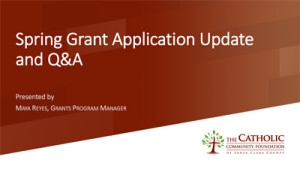 2020 Spring Grant Application Update Webinar
Watch the recording of this webinar which includes important updates about the delayed 2020 Spring Grant Cycle.
Download the slides from this presentation >>
[/et_pb_text][et_pb_button admin_label=”Webinar Recording Button” saved_tabs=”advanced,css” custom_button=”on” button_text_color=”#ffffff” button_bg_color=”#7c1b02″ button_border_color=”#591000″ button_letter_spacing=”0″ button_use_icon=”default” button_icon_color=”#ffffff” button_icon_placement=”right” button_on_hover=”on” button_text_color_hover=”#ffffff” button_bg_color_hover=”#591000″ button_border_color_hover=”#591000″ button_letter_spacing_hover=”0″ button_url=”https://us02web.zoom.us/rec/share/3-pXAujd5iBLX8_8q0fyX7ctXZXMaaa81CAWrKUNz0nTpMthubYYrEb9L-sjLhQa?startTime=1594143024000″ url_new_window=”on” button_text=”Watch the recorded webinar” button_alignment=”center” background_layout=”light”] [/et_pb_button][et_pb_text admin_label=”Main webinar heading” background_layout=”light” text_orientation=”left” use_border_color=”off” border_color=”#ffffff” border_style=”solid”]
Full Spring Grant Cycle Overview
This webinar was recorded in February of 2020. Due to the coronavirus pandemic, the dates and some of the information from this presentation may be out of date. Most of the information provided is still relevant and correct. If you have questions, please contact the Grants Program Manager.
[/et_pb_text][et_pb_video admin_label=”Video Part 1″ src=”https://vimeo.com/395057801″] [/et_pb_video][et_pb_video admin_label=”Video Part 2″ src=”https://vimeo.com/394541604″] [/et_pb_video][/et_pb_column][et_pb_column type=”1_4″][et_pb_button admin_label=”sgc home button” saved_tabs=”all” custom_button=”on” button_text_color=”#7c1b02″ button_bg_color=”#ffffff” button_border_color=”#510000″ button_letter_spacing=”0″ button_use_icon=”default” button_icon_color=”#ffffff” button_icon_placement=”right” button_on_hover=”on” button_text_color_hover=”#ffffff” button_bg_color_hover=”#510000″ button_border_color_hover=”#512424″ button_letter_spacing_hover=”0″ url_new_window=”off” button_text=”Spring Grant Cycle Home” button_alignment=”center” background_layout=”light” button_url=”/grants/spring-cycle/”] [/et_pb_button][et_pb_button admin_label=”categories button” saved_tabs=”all” custom_button=”on” button_text_color=”#ffffff” button_bg_color=”#7c1b02″ button_border_color=”#510000″ button_letter_spacing=”0″ button_use_icon=”default” button_icon_color=”#ffffff” button_icon_placement=”right” button_on_hover=”on” button_text_color_hover=”#ffffff” button_bg_color_hover=”#510000″ button_border_color_hover=”#512424″ button_letter_spacing_hover=”0″ url_new_window=”off” button_text=”Grant Categories” button_alignment=”center” background_layout=”light” button_url=”/grants/spring-cycle/categories”] [/et_pb_button][et_pb_button admin_label=”resources button” saved_tabs=”all” custom_button=”on” button_text_color=”#ffffff” button_bg_color=”#7c1b02″ button_border_color=”#510000″ button_letter_spacing=”0″ button_use_icon=”default” button_icon_color=”#ffffff” button_icon_placement=”right” button_on_hover=”on” button_text_color_hover=”#ffffff” button_bg_color_hover=”#510000″ button_border_color_hover=”#512424″ button_letter_spacing_hover=”0″ url_new_window=”off” button_text=”Grantee Resources” button_alignment=”center” background_layout=”light” button_url=”/grants/spring-cycle/resources”] [/et_pb_button][et_pb_button admin_label=”donate button” saved_tabs=”all” custom_button=”on” button_text_color=”#ffffff” button_bg_color=”#5e9741″ button_border_color=”#40632a” button_letter_spacing=”0″ button_use_icon=”default” button_icon_color=”#ffffff” button_icon_placement=”right” button_on_hover=”on” button_text_color_hover=”#ffffff” button_bg_color_hover=”#40632a” button_border_color_hover=”#40632a” button_letter_spacing_hover=”0″ url_new_window=”off” button_text=”Support the Spring Grant Cycle” button_alignment=”center” background_layout=”light” button_url=”/spring-match”] [/et_pb_button][/et_pb_column][/et_pb_row][/et_pb_section]